
As a seller you post an offer, as a buyer you post a request. Both entries stand on the marketplace. On someone else’s offer you start a negotiation as a buyer; on someone else’s request you make an offer as a seller.
Entry point · Sales
Post offer
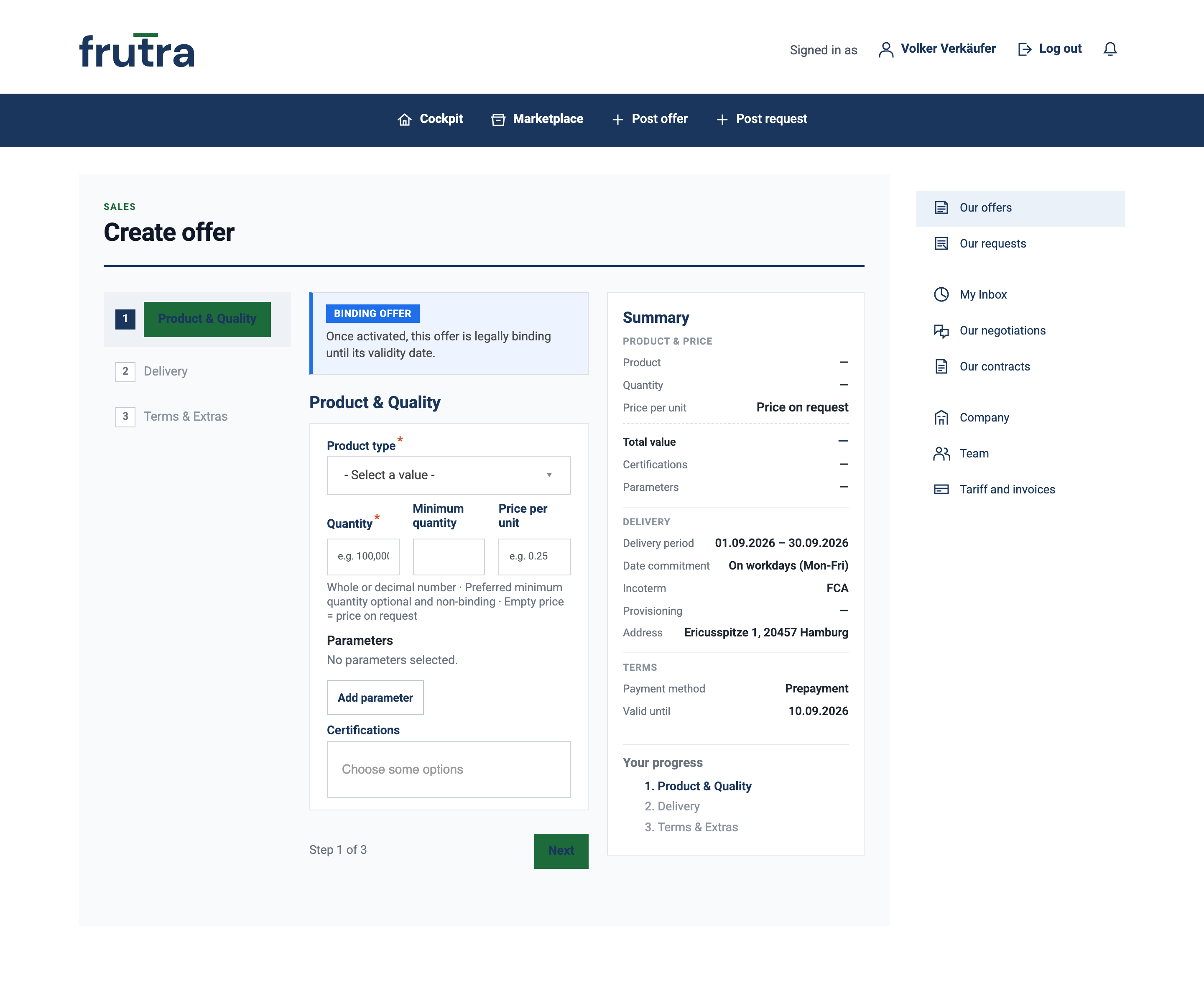
You enter product type, quantity, preferred minimum quantity and unit price, along with parameters and certifications, delivery period, date commitment, provisioning, incoterm, dispatch address and payment method. The form divides this into three steps — Product & Quality, Delivery, Terms & Extras — and keeps the summary up to date. Once activated, your offer is legally binding until its validity date.
Entry point · Procurement
Post request
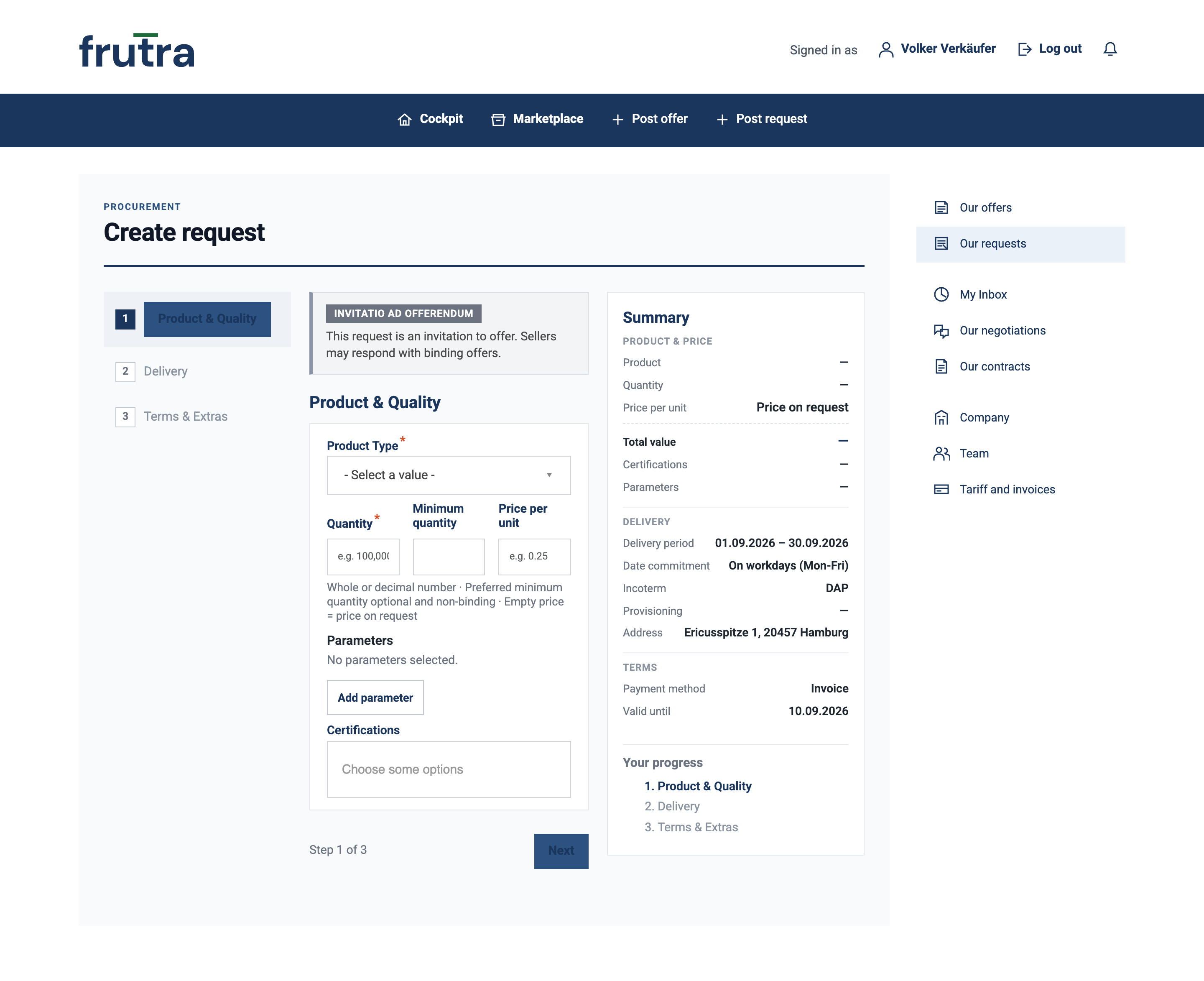
You enter the same details from the buying side — the delivery address instead of the dispatch address. The unit price is your target price here, and the incoterm is preset to DAP rather than FCA. Your request is an invitatio ad offerendum: sellers respond with a binding offer.
Marketplace
Compare offers and requests
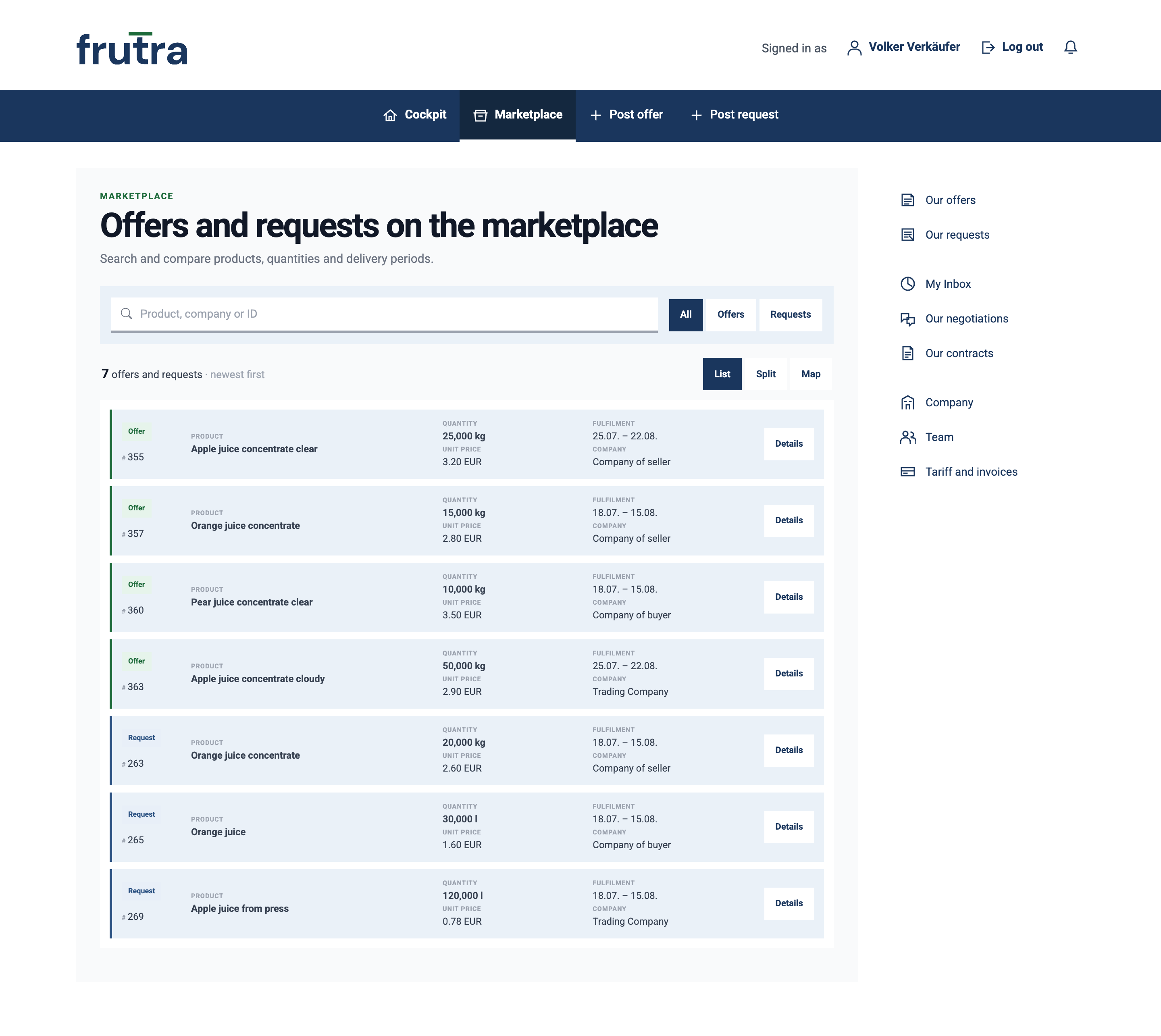
The marketplace lists offers and requests together; offers are marked green, requests blue. Each row names the ID, product, quantity, unit price, fulfilment period and company. You search by product, company or ID, narrow the list with „All“, „Offers“ and „Requests“, and switch the display with „List“, „Split“ and „Map“. „Details“ opens the full entry.
Negotiation
Agree the terms
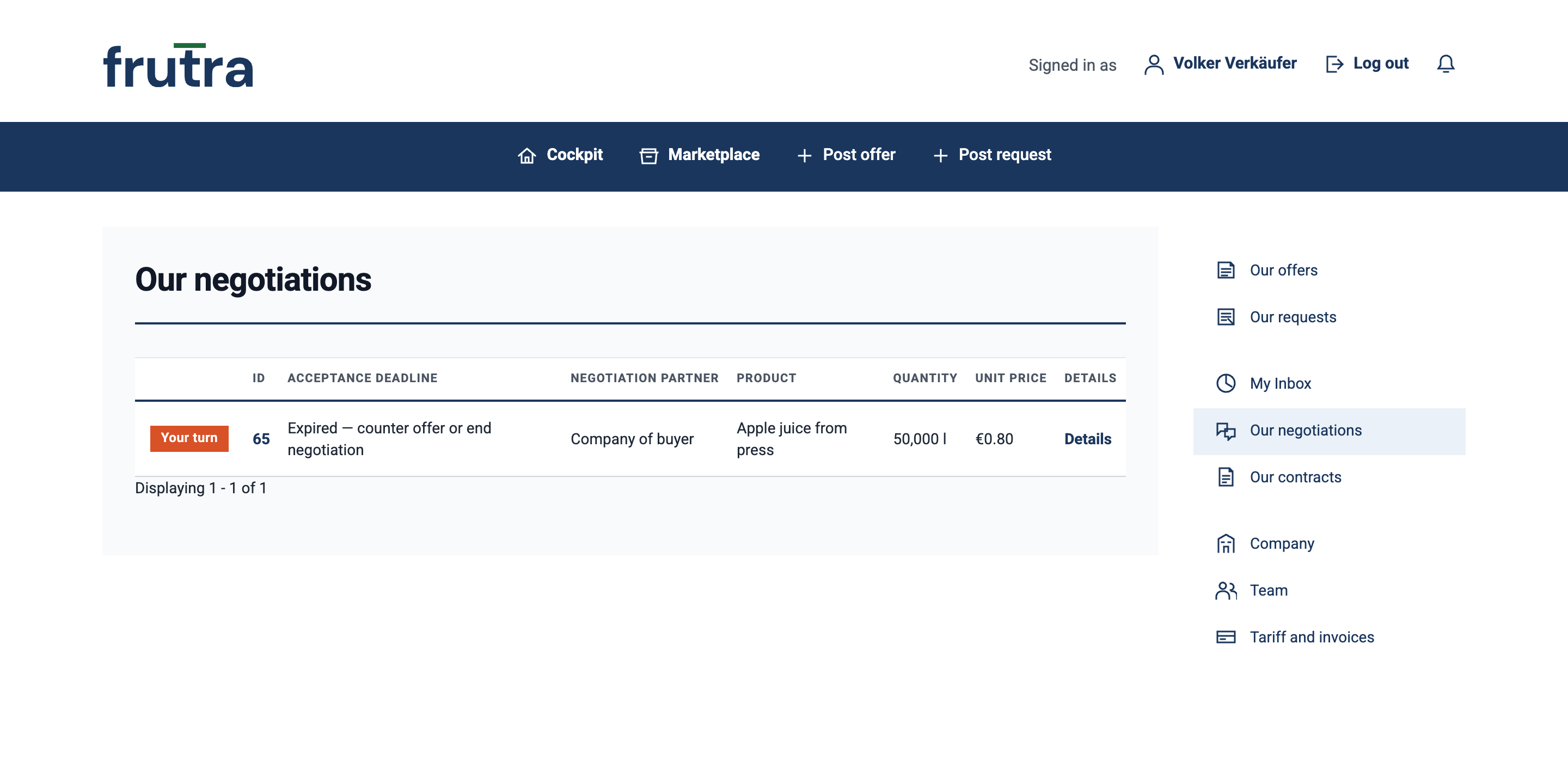
In a negotiation you face exactly one company; other members have no access to it. Every step is a complete set of terms with its own acceptance deadline. You accept, make a counter offer or end the negotiation — and so does your negotiation partner. Under „Our negotiations“ you see your running negotiations with acceptance deadline, negotiation partner, product, quantity and unit price; the „Your turn“ marker shows when it is on you.
Contract
Purchase contract
As soon as you or your negotiation partner accept the offer on the table, the purchase contract stands under „Our contracts“ — with its own contract number. It records the subject matter, quantity, unit price, total price, delivery period, incoterm and payment method, along with seller, buyer, place of dispatch and place of delivery. You view it as a PDF, export it and find the negotiation history attached to it; frutra verifies the contract integrity.
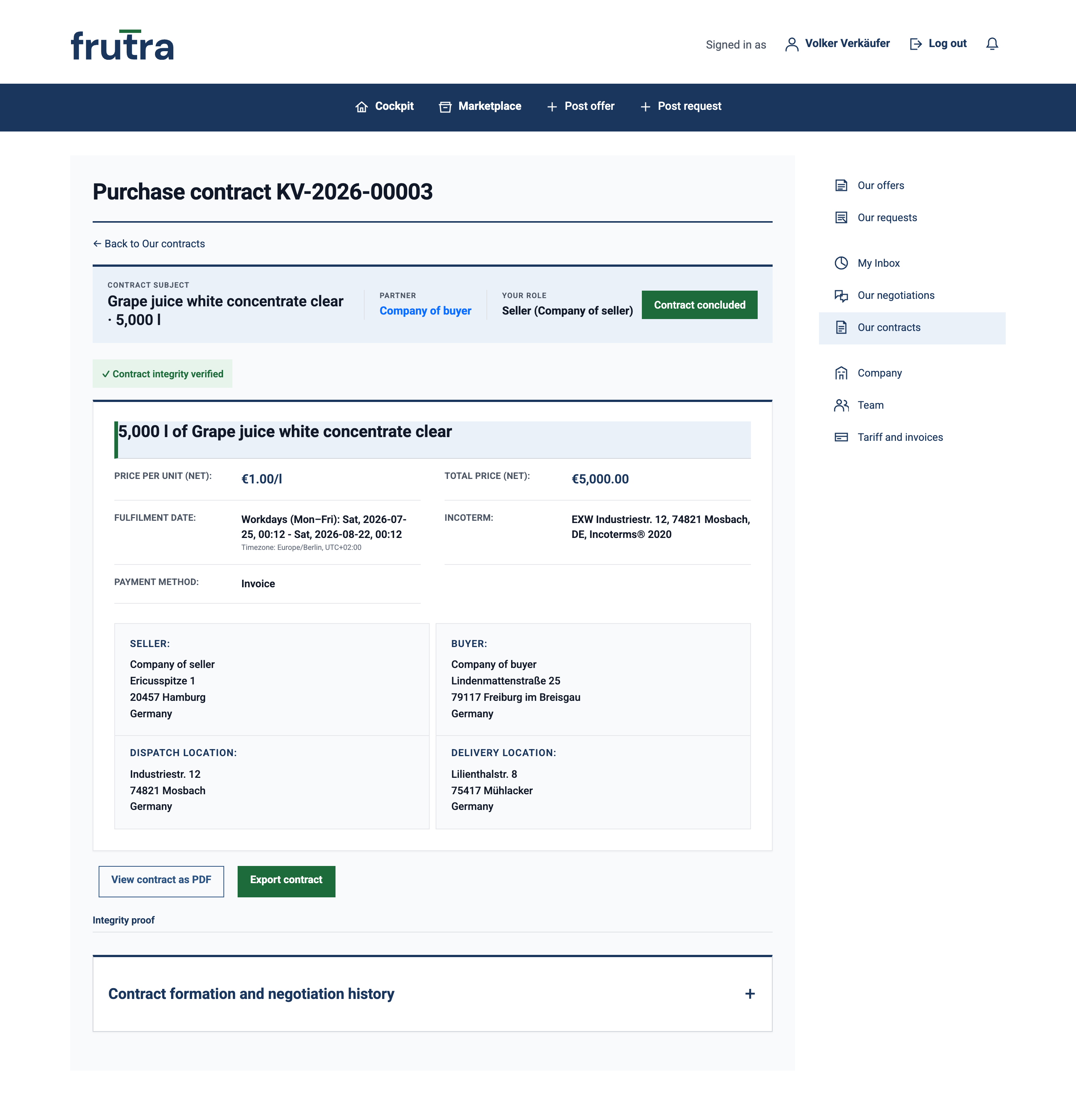
Screenshots from the frutra platform, as of 26 August 2026. Company names, addresses, quantities and prices in the images are examples.